- 21 hours
Nothing infuriates me more than when they ask me to reduce my 20 char alphanumeric+symbols unique password to a 4 char numeric pin for my security.
- 20 hours
My (soon to be ex) bank recently decided to make everyone use their ID card number which can be obtained from many sources and does not change, a username with symbols and numbers and minimal length requirements which cannot be changed and a 4 digit pin code. No 2FA at all, so its only saving grace is that you get locked out at 3 tries.
I’m guessing they are trying to align everything to their legacy ATM pin code system instead of making the ATM system better.
- 11 hours
There is something about ATM system architecture that must be so ancient it ran on punch cards. In reality I’m sure it’s COBOL being COBOL but there’s hardly any excuse for a machine to take SO LONG to process a simple transaction.
- 17 hours
Credit unions really are refreshing (as much as a financial institution can be, at least). Mine’s utter shit, but they’ve still gone to unrestricted length ATM pins and options for 2FA / 3FA online access and they support FIDO2 for auth & transaction confirmation. It’s ridiculous how behind the establishment banks are getting.
I have 5-6 apps I log into for work that all have different password requirements and are on different expiration periods. One of them is so crazy that I have to take 3-4 spins on a password generator before I get one it will accept. We also don’t have a password manager that’s approved to install. So, the result of all this is that I store my passwords in onenote. Very secure. Great job everyone. At least for the less severe ones I can just put whatever number I’m tagging on the end of the usual password I use.
- 22 hours
We had a system at one of my old companies that with each password change, you couldn’t have any of the same characters that were in your last password (12 character max so it was never impossible to solve), you couldn’t have the same character in the same place as any of your last 10 passwords, or the same character type (letter or number) in the same space as the last password. Also no special characters.
The end result was everyone ended up using a1a1a1a1 for the first password, then 2b2b2b2b, c3c3c3c3, 4d4d4d4d, etc. The draconian password requirements resulted in everyone using the same passwords.
- 21 hours
You know some turd in the IT department was so proud of themselves for coming up with that too.
- JcbAzPx@lemmy.worldEnglish18 hours
And of course they have to be storing the passwords in plain text somewhere to maintain that history.
- 17 hours
Storing passwords in plain text not a requirement to have a password history.
 22 hours
At work my main password has to be changed every two weeks and has insane requirements and we can only use some shit company approved password manager which I cant even install on a rooted phone. This has resulted me in just changing 1 digit every 2 weeks, 10/10 guys!
- 19 hours
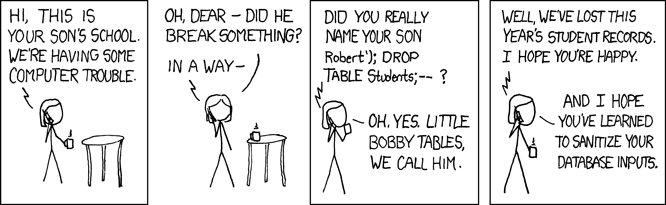
Do you want your password to be sent raw into a service to analyze your password entropy and detect common patterns, OR do you want a simple rule which can be checked client side?
- ikidd@lemmy.dbzer0.comEnglish17 hours
You don’t send full raw hashes, k-anonymity is a thing. HaveIBeenPwned just takes the first 5 of a hash and sends you back a list that you compare clientside so it never leaves as a usable password.
Analyze password entropy client-side. https://dropbox.tech/security/zxcvbn-realistic-password-strength-estimation
It’s also a gigantic red flag when sites say there’s a password limit
Bitch, my password is supposed to be hashed so even if I uploaded the LOTR trilogy extended edition in 4K, it should still come out the same length as any other SHA256 hash
- 2 days
I appreciate the enthusiasm but my load balancer will get sad if I let you send more than 1500 bytes.
First round of hashing could be done client-side, and then send that to the server.
Would be cool to also add salt so that the hash couldn’t get re-used across services even with the same source password/file if somehow captured.Idea:
- Enter username
- Server sends salt to client
- Enter password or key file
- Client computes hash of the password or file with salt added (I have no idea how it’s used. If appended, some hashing functions could truncate the data, losing the salt. If prepended along with truncation, you just made the password even shorter. XOR?)
- Client sends hash to server
- Server hashes the hash same way as if it was password
- If it matches, you’re in
Basically, the hash is your password. Data can be whatever.
Most websites already use JavaScript, so why not.- 13 hours
You could write a browser extension that converts your password to a hash. You could pick the hash yourself so the server has no way to figure what the original password was.
You would essentially achieve the same thing.
- 21 hours
So, I was having trouble sleeping last night and found myself mulling over your idea.
As any good sleep deprived tech I went down a rabbit hole. There are solutions that prepare the encrypted payload on the client side. But, why you don’t see solutions offering you to authenticate with the entire lotr series is that you hit a ceiling really fast where more data is the same security threshold as the former smaller data.
If you want to derive security from large data there’s already a scalable solution in the form of private public key pairs, where the size of the key is directly tied to the security. So if you convert lotr to a prime number you can get somewhere with that approach.
- 8 hours
I’ve thought of the point where password length becomes irrelevant as well. Unless there some maths I don’t know that plays a role here, longer passwords become useless when x^n > K. Where x is the character set available for the password, n is the smallest length that meets the criteria of the formula, and K is the hash functions key space. Effectively, this would be due to the fact that brute forcing would be just as likely to find a collision as it would the actual password used.
- 23 hours
I’d rather not make the client do anything like that, you cannot trust a client, EVER; what if some script kiddie tries to send the clear passwd by modifyng the request? Ofc it’s a very minor problem but still…
You already trust the client with your password regardless.
- 22 hours
I wouldn’t send the salt to the client. Have it hash the password, then the server hashes that with the salt for comparison and storage.
But that would mean you can’t verify the password complexity server side, which can be bad for certain accounts.If there would be an advantage to doing so, the server could still do that anyway. You’d just end up storing client salt and server salt.
My main concern was MITM which doesn’t modify the webpage if web UI is used, such as on corporate networks which require client devices to have that network’s root certificate for scanning and activity logging.- 15 hours
The client salt would need to be consistent and “public” since the client needs it before login. It’s basically useless.
- 18 hours
Basically, the hash is your password
Exactly, this is equivalent to using a password of a particular length with only hex digits. It may be long, but the original data is completely unnecessary here.
The salt adds nothing, since you can’t change it, as you need to produce the stored hash in the end on the server. There are methods of challenge-response authentication wherein the server sends a random challenge and the client hashes it, but that requires storing the password in cleartext on the server.
The salt adds nothing
It prevents cross-service re-use, should the original password hash be obtained (if other services used the same system).
Example (MD5 in b64 used for simplicity): Same password is used on website1 and website2. The password is
password.
passwordproducesKGdV+tBIacpSMyCszg3GpA==which can be used for both websites.
Now, if website1 addssbo2as salt, and website2 addsx3e5, you get:
passwordsbo2->d0bd511zpYqG3//3vLGYRQ==
passwordx3e5->788BnQKx7B2KOSju2jviiQ==So if you are on a corporate network that does MITM (you had to add their root cert) for monitoring, they’ll only see a hash for each website separately, without being able to re-use it.
Though that’s quite a bit of an edge case, and assumes no client modification or other monitoring.- 17 hours
True, I got engrossed in thinking through your proposal and forgotten about the original intent of a salt. Happens to me from time to time, particularly with security topics for some reason.
- 2 days
Clearly you have undiscovered SHA256 collisions that you want to attack the website with.
- unalivejoy@piefed.socialEnglish1 day
I make my passwords complex phrases with spaces and punctuation included. e.g. “Correct, horse battery staple!”
(obligatory that’s not my password)
- 21 hours
If you mean that as sarcasm, there are multiple calculations of the complexity of such a password, in which it performs no worse than a random password of a typical length. Although for myself I still prefer random passwords stored in a password manager, with extra special characters and quite some reserve in length.
- 20 hours
Nah, it was not sarcasm, i’d use them myself if i wasn’t lazy, i just make my password manager generate and store the password
- 2 days
alphanumeric characters only, and maybe an underscore if we’re feeling extra generous
Your password must be at least 10 characters long.
ERROR: INVALID PASSWORD ENTERED!!!
PASSWORD MUST NOT EXCEED 12 CHARACTERS!
- 11 hours
Even better when it doesn’t tell you and just drops the last characters.
- Monument@piefed.worldEnglish2 days
In systems that accept whitespace, “Live, Laugh, Love” is considered a strong password.
With that being said, “In systems that accept whitespace, “Live, Laugh, Love” is considered a strong password.” is an even stronger password.
- 2 days
I love systems that accept “With that being said, “In systems that accept whitespace, “Live, Laugh, Love” is considered a strong password.” is an even stronger password.” as my password.
- 2 days
For those that have full Unicode support, including newline characters and a very high or nonexistent character limit, using:
For those that have full Unicode support, including newline characters and a very high or nonexistent character limit, using:
I love systems that accept “With that being said, “In systems that accept whitespace, “Live, Laugh, Love” is considered a strong password.” is an even stronger password.” as my password.
as your password is an even stronger password.
as your password is an even stronger password.
- 22 hours
Then using:
Call me Ishmael…
as your password is an even stronger password.
all fun and games until you find out it strips whitespace/newlines on save without telling you and you gotta go figure out why your passwords not working
- shirasho@feddit.onlineEnglish1 day
Requiring specific characters reduces the number of permutations. The only thing that makes a password more secure is increasing the minimum length. As the OP suggests, enforcing special characters makes most people just put a special character at the end. What you have effectively done is make the last character so easy to guess that it might as well not exist.
- gastroglizzy@piefed.socialEnglish2 days
Fun fact: As an anti-scam measure, if you type your password in a comment, Lemmy will automatically censor it for you.
Like this:
************
Cool, right?
- DaveyRocket@lemmy.worldEnglish18 hours
When you paste my password I can still see it!
But in all honesty, poor Hunter2 is probably getting scammed for his Social Security benefits by now 🥲
- unalivejoy@piefed.socialEnglish1 day
This is just a css trick. Your full password text is still there in the html.
- 1 day
I felt like a celebrity when my old IRC handle popped up on bash.org for one line. I didn’t even say anything funny, just the “what?” that set up someone else’s joke, but it was cool to see me there.
The internet was so much better when it was just, like, ten people.
- 1 day
It’s a bash.org original. Unfortunately no longer online, but you can visit bash.rip now with the same quotes
- 1 day
My new job has us doing various security trainings every month and they also send out fake phishing emails. I initially ignored the emails prompting me to do the training because they require you to click a personalized link in the email to access the training. Eventually, my manager reached out and asked why I hadn’t done the training, so I explained, but finally clicked through to do it. That month’s training was about how a long passphrase is more secure than a list of character type requirements. Guess whose password requirements are a list of character type requirements?